Managing employee benefits gets difficult when enrollment records, payroll deductions, carrier updates, and employee questions are handled in different places. To handle benefits administration in Goose Creek, employers need a clear process that connects each task, assigns responsibility, and checks that changes were completed correctly.
Software can reduce repetitive work, but it still needs human oversight. This article is for Goose Creek business owners and HR teams who want to organize benefits tasks, reduce avoidable errors, and build a process that can support company growth.
Key Takeaways
- Assign one owner to each task, including eligibility, enrollment, payroll updates, carrier changes, and employee communication.
- Keep enrollment, payroll, and carrier records connected so coverage dates and deductions remain consistent.
- Create written steps for new hires, qualifying life events, and terminations.
- Use benefits technology for repetitive work, but review exceptions, invoices, and employee questions manually.
- Compare payroll deductions and carrier records regularly instead of waiting until renewal.
- Growing Goose Creek employers need a process that can support more employees without creating more spreadsheets.
What Benefits Administration Actually Includes
Benefits administration covers much more than helping employees choose plans during open enrollment. It includes nearly every task required to keep employee benefit records accurate throughout the year. A typical process may involve:
- Confirming employee eligibility
- Recording benefit elections and waivers
- Adding dependents
- Sending deductions to payroll
- Updating insurance carriers
- Processing new hires and terminations
- Managing qualifying life events
- Answering employee questions
- Storing required documents
- Reviewing carrier invoices
- Preparing for renewals and open enrollment
Each task affects another part of the process. For example, an employee may enroll in family coverage correctly, but an incorrect payroll deduction can still create a problem. A terminated employee may also remain on a carrier bill if the carrier was never notified. Local employers need systems that can handle these details as their teams grow. The U.S. Census Bureau reported that Berkeley County had 4,230 employer establishments and 61,856 employees in 2023. That active employer base makes dependable onboarding, payroll coordination, and benefit recordkeeping especially useful for companies in and around Goose Creek.
Build a Benefits Administration Process That Works
A good process should show what needs to happen, who is responsible, and how the company confirms that the work was completed. Written procedures are helpful because they reduce reliance on memory. They also make it easier for another team member to step in when the usual administrator is unavailable.
Assign Clear Ownership and Deadlines
Start by listing every benefits task and assigning it to a specific person or partner. Your list may show that:
- HR confirms eligibility.
- Employees submit elections and dependent information.
- Payroll enters deductions.
- A broker or administrator sends changes to carriers.
- A manager approves certain employment-status changes.
- One person confirms that every system was updated.
Avoid instructions such as “HR will handle it” when several people work in HR. Name the person responsible for each step and include the deadline. Ask a simple question for every change: Who confirms that this was completed? Submitting a request is not the same as confirming that payroll and carrier records were updated correctly.
Connect Enrollment, Payroll, and Carrier Records
Employee information may appear in an HR system, an enrollment platform, payroll software, and several carrier portals. Problems begin when these records no longer match. For each enrollment or employee change, confirm:
- Employee name and identifying information
- Coverage type and tier
- Covered dependents
- Effective date
- Employee deduction
- Employer contribution
- Carrier enrollment status
Benefits technology may transfer some of this information automatically. Even so, someone should review error reports and confirm that important changes reached their destination. An employee who adds a spouse, for example, may complete the enrollment step correctly. The change is not finished until the carrier record and payroll deduction also reflect the new coverage.
Set a Monthly and Annual Review Schedule
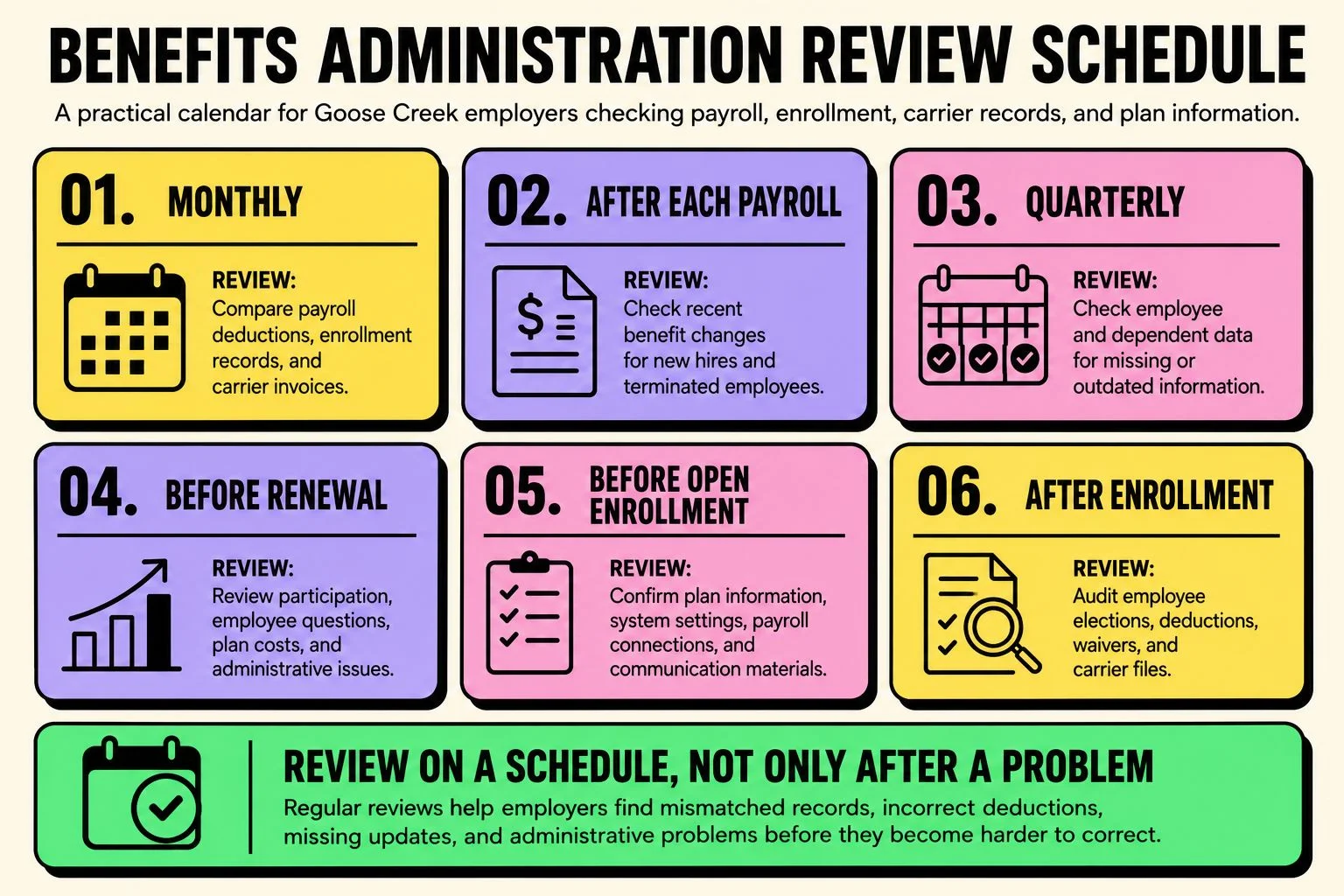
Benefits administration is easier when reviews happen on a schedule rather than only after someone reports a problem. A practical review calendar may include:
- Monthly: Compare payroll deductions, enrollment records, and carrier invoices.
- After each payroll: Review recent benefit changes for new hires and terminated employees.
- Quarterly: Check employee and dependent data for missing or outdated information.
- Before renewal: Review participation, employee questions, plan costs, and administrative issues.
- Before open enrollment: Confirm plan information, system settings, payroll connections, and communication materials.
- After enrollment: Audit employee elections, deductions, waivers, and carrier files.
A process that works for 20 employees may become difficult at 75 or 150. Employers expecting to hire should review how they manage benefits for growing companies before additional headcount creates more manual work.
Use Benefits Technology Without Losing Human Oversight
Benefits technology can make enrollment and recordkeeping easier, especially when employees would otherwise complete paper forms or send changes through email. The right system should solve a known problem. Buying software without reviewing the current process may simply move a confusing workflow into a new platform.
What the System Should Automate
Depending on the platform and available connections, benefits technology may help with:
- Online enrollment
- Employee self-service
- Eligibility rules
- Dependent information
- Enrollment reminders
- Document storage
- Payroll data transfers
- Carrier files
- Employee reports
- Plan comparisons
Self-service tools can also let employees review plan documents, update certain personal details, and check their elections without contacting HR for every request. Before choosing a system, identify which tasks are taking the most time. A company struggling with duplicate data entry has different needs from one struggling with employee communication or carrier billing errors.
What Still Needs Human Review
Software cannot make every benefits decision or resolve every unusual situation. A person may still need to:
- Review an eligibility exception
- Correct an effective date
- Resolve a payroll discrepancy
- Follow up on a rejected carrier file
- Explain plan differences to an employee
- Check whether documentation is complete
- Review a carrier invoice
- Discuss compliance questions with qualified professionals
Automation should make these issues easier to identify. It should not hide them behind a dashboard that no one checks.
Handle New Hires, Life Events, and Terminations Carefully
Employee changes often cause problems because they affect several systems at once. For a new hire, your process should confirm the eligibility date, enrollment deadline, benefit elections, waiver records, payroll deduction date, and carrier effective date. The employee should also receive clear instructions about where to find plan documents and who can answer questions.
Qualifying life events require a similar checklist. Marriage, divorce, birth, adoption, or loss of other coverage may allow an employee to change benefits outside open enrollment. Record the event, collect the required documents, confirm the requested change, and update each connected system. Terminations also need careful review. Confirm the last date of coverage, stop deductions at the correct time, notify the carrier, and remove the former employee from future invoices when appropriate.
Common Benefits Administration Mistakes to Catch Early
Most administration problems are caused by missing steps rather than one major failure. Watch for these common issues:
- The same change is entered several times. Duplicate entry takes time and increases the chance of mismatched information.
- Payroll is updated, but the carrier is not. The employee may see a deduction without having active coverage.
- Terminated employees remain on carrier bills. Regular invoice reviews can catch these charges.
- Waivers are not documented. Keep a clear record when an eligible employee declines coverage.
- Open enrollment starts too late. Rushed preparation leads to unclear instructions and last-minute corrections.
- Employee messages come from several people. Give employees one reliable source for deadlines, forms, and plan information.
- The team assumes software completed the change. Review reports and rejected files instead of relying on assumptions.
Correcting these issues early is usually easier than trying to rebuild several months of records.
When Benefits Administration Starts Taking Too Much HR Time
Benefits administration can become a problem before anyone formally calls it one. HR may be entering the same employee change in several systems, payroll deductions may not match carrier records, or open enrollment may depend on spreadsheets and last-minute emails. Start by reviewing who owns each step, how employee changes move between systems, and how often deductions and carrier invoices are checked. The goal is not to replace every process with new software. It is to remove duplicate work, find errors earlier, and give employees one clear place to get information.
Benni Agency can help local employers review their workflow, benefits technology, enrollment support, and year-round administration needs. Employers can also learn more about Goose Creek benefits support for plan management, employee education, and administration. If benefits work is taking more time than it should, reviewing the current setup is a sensible next step.